Email Assistant app icon
Email Assistant AI replies for Gmail, Outlook, and more
Let AI reply to emails with your own knowledge


Review every draft before it goes back to the right inbox.

Email Assistant keeps Gmail, Outlook, and other IMAP/SMTP mailboxes in one place, applies per-account reply settings, and saves drafts back into the correct thread.

Start with the free trial, connect the mailbox you need, build knowledge around that account, and review drafts before sending. Automatic draft creation is available only if you enable it.

1
Start the 7-day free trial Unlock account connection and verify the subscription before the first mailbox is added.
2
Choose Gmail, Outlook, or any IMAP/SMTP provider Use one Add Email entry point, then pick the provider you want to connect.
3
Build your own knowledge Upload documents or import emails from a mailbox into your knowledge base.
4
Review AI drafts before saving Generate replies with mailbox-specific tone and signature, then save them back into drafts when you choose.
5
Auto-generate drafts in the background Turn on automatic draft creation and your reply is already waiting in Drafts the next time you open your mailbox.
macOS app preview

See the reply workflow.

Move from inbox context to mailbox settings and knowledge management without losing the thread. Each screenshot shows the real macOS interface customers will use.

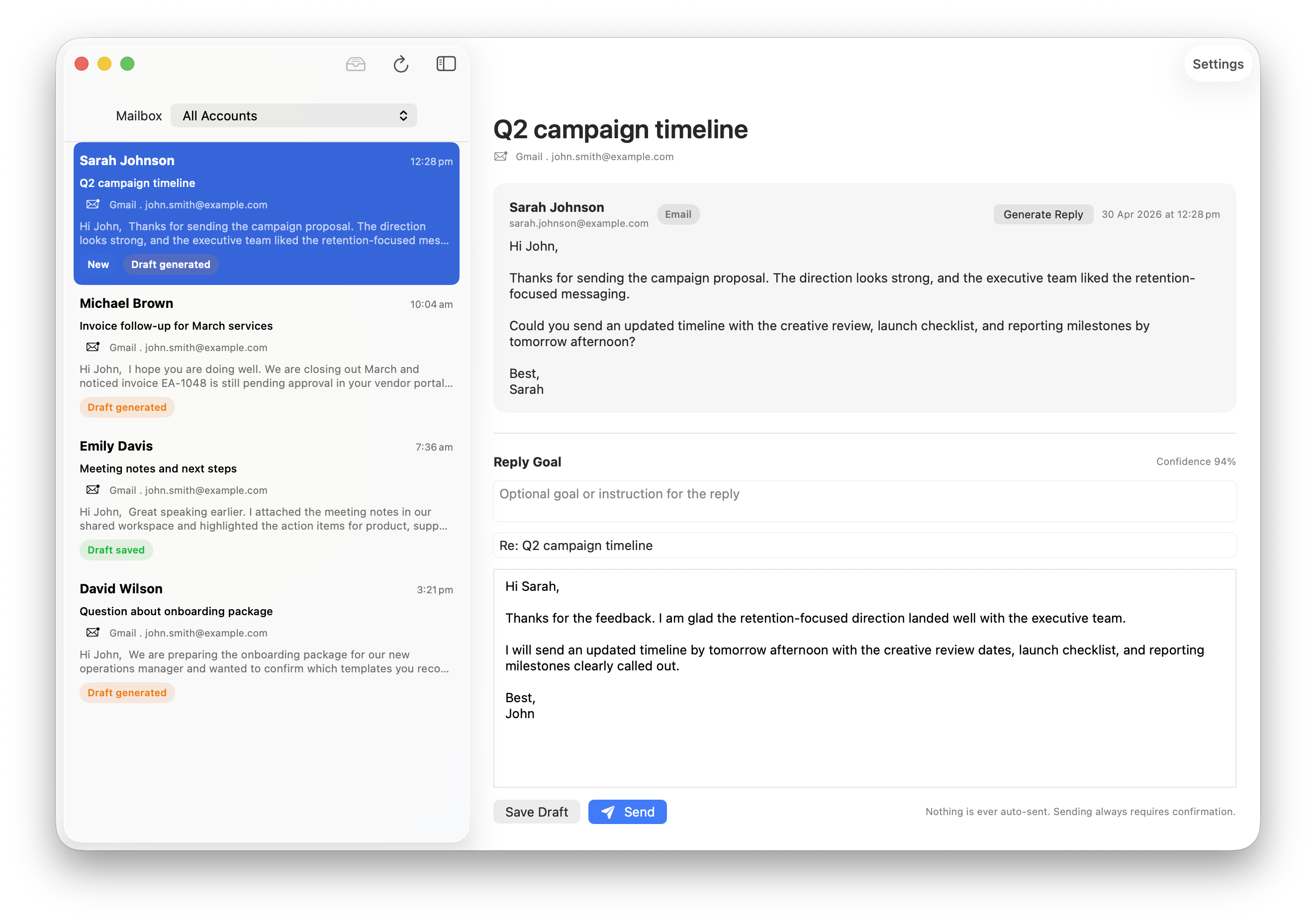
Email Assistant macOS inbox and AI reply draft editor
Review generated replies before saving Read the original thread, adjust the AI draft, then save or send from the selected mailbox.
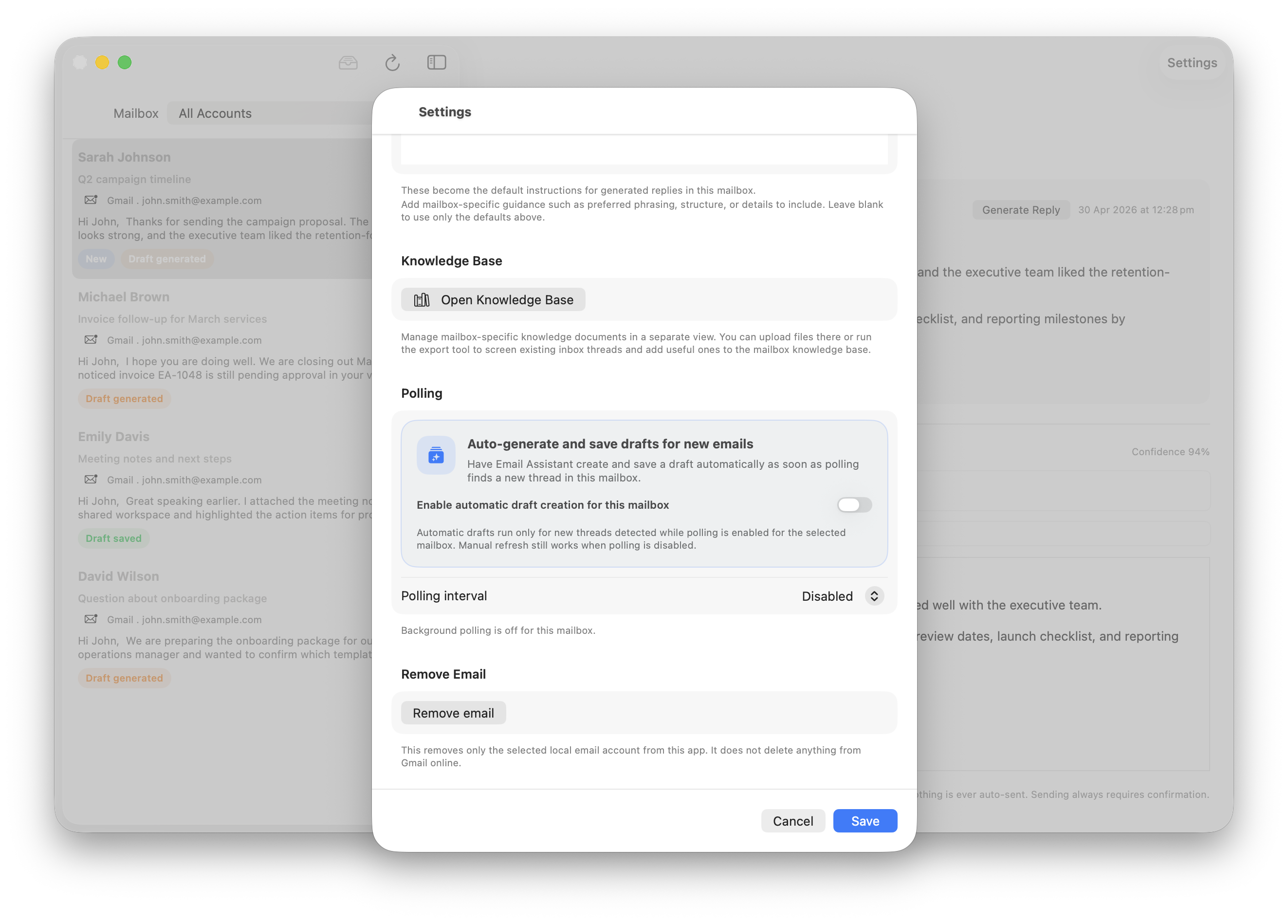
Email Assistant macOS mailbox settings for knowledge base and polling
Control each mailbox separately Open the knowledge base, tune mailbox defaults, and decide whether automatic draft creation is enabled.
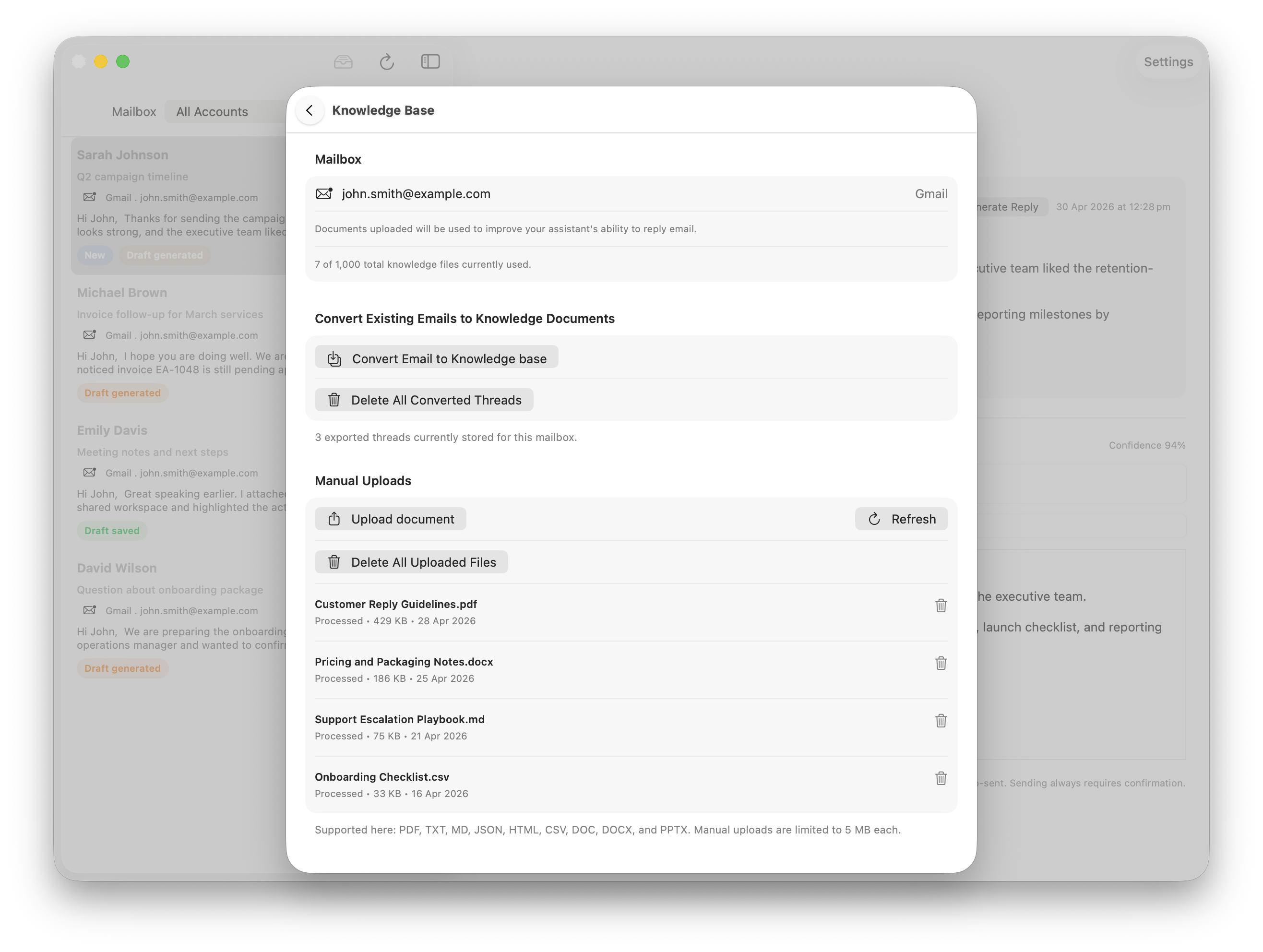
Email Assistant macOS knowledge base document management
Turn documents and emails into context Upload files or import existing emails so replies can use the knowledge that belongs to that account.

Built around the real workflow

Import context from the mailbox, generate a reply that matches the account, and keep final review in your hands before anything is saved back into the thread.

01

One click to import knowledge from mailbox

Import knowledge from a connected mailbox in one click and turn existing emails into reusable context.

02

Draft replies in your voice

Generate clean, concise replies with mailbox-level preferences so each account feels personal instead of generic.

03

Review before anything goes out

Nothing is auto-sent. You review the draft, adjust it, and save it back into the original thread. If you enable automatic draft generation, the app may create and save drafts for new inbox messages, but it still does not send them.

Why this flow matters

Account-aware drafting is the actual product.

Email Assistant is not a generic text box with one global prompt. It keeps each mailbox separate, lets you shape the knowledge behind that account, and routes the saved draft back into the correct thread.

Subscription before connection The app unlocks mailbox connection only after the trial or subscription is active.
One Add Email entry point Gmail, Outlook, and IMAP/SMTP mailboxes all start from the same connection flow.
Human review stays in control Drafts can be generated and saved, but they are never auto-sent.
Google user data

Why Email Assistant asks for Gmail access.

Read Gmail threads The app uses Gmail read access to show inbox threads, open the selected conversation, and prepare the context needed for a reply draft.
Create Gmail drafts The app uses Gmail compose access to save generated reply drafts into the correct thread and manage drafts you choose to send or delete.
Keep use limited Google user data is used to provide and improve Email Assistant features, not for advertising, resale, credit decisions, or AI model training.
Download

Start the trial and connect the mailbox you actually use.

Email Assistant keeps the message simple: connect Gmail, Outlook, or any IMAP/SMTP mailbox, draft with account-specific knowledge, and stay in control before anything leaves the app.

Download on the App Store