One click to import knowledge from mailbox
Import knowledge from a connected mailbox in one click and turn existing emails into reusable context.

Email Assistant keeps Gmail, Outlook, and other IMAP/SMTP mailboxes in one place, applies per-account reply settings, and saves drafts back into the correct thread.
Start with the free trial, connect the mailbox you need, build knowledge around that account, and review drafts before sending. Automatic draft creation is available only if you enable it.
Move from inbox context to mailbox settings and knowledge management without losing the thread. Each screenshot shows the real macOS interface customers will use.
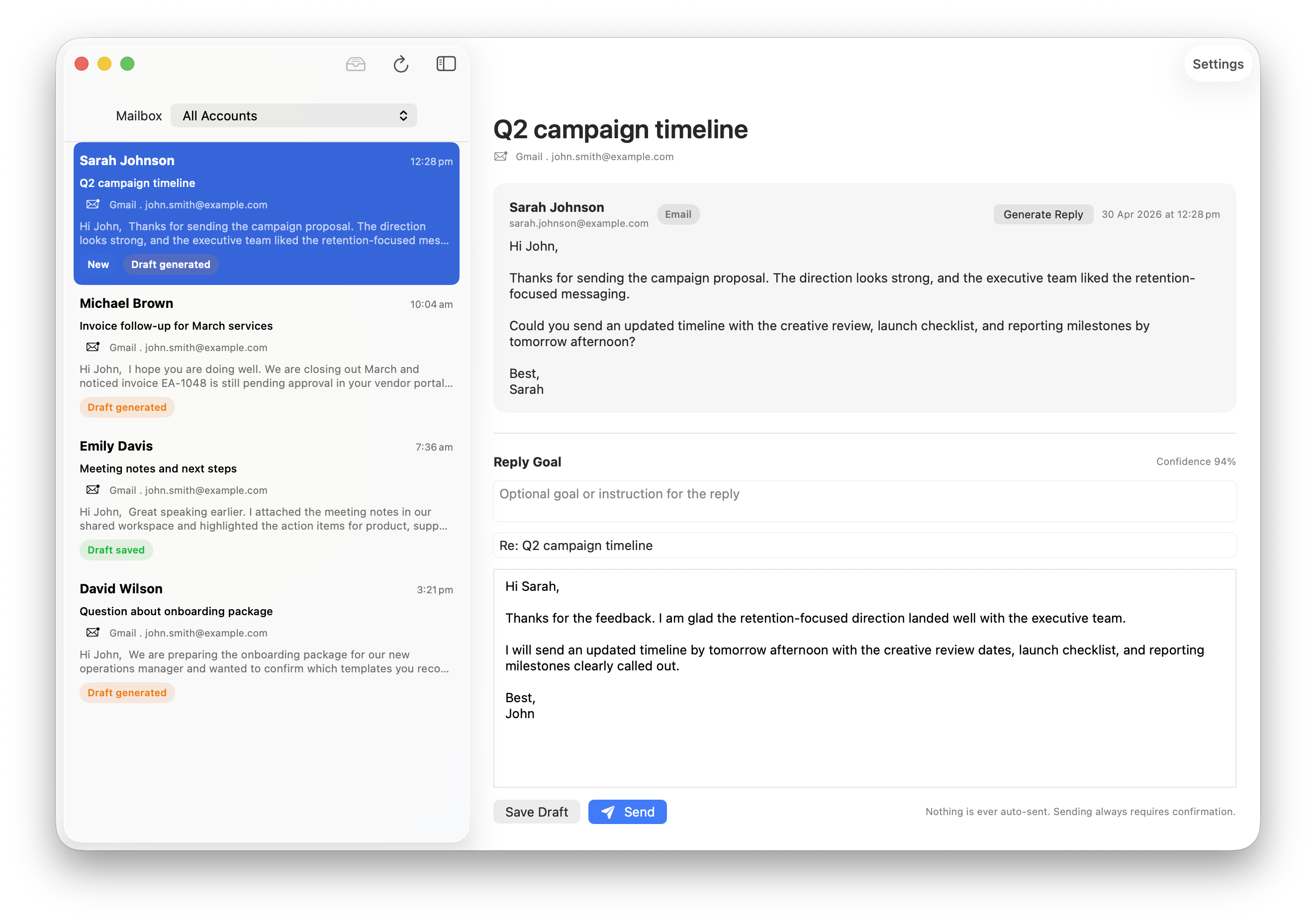
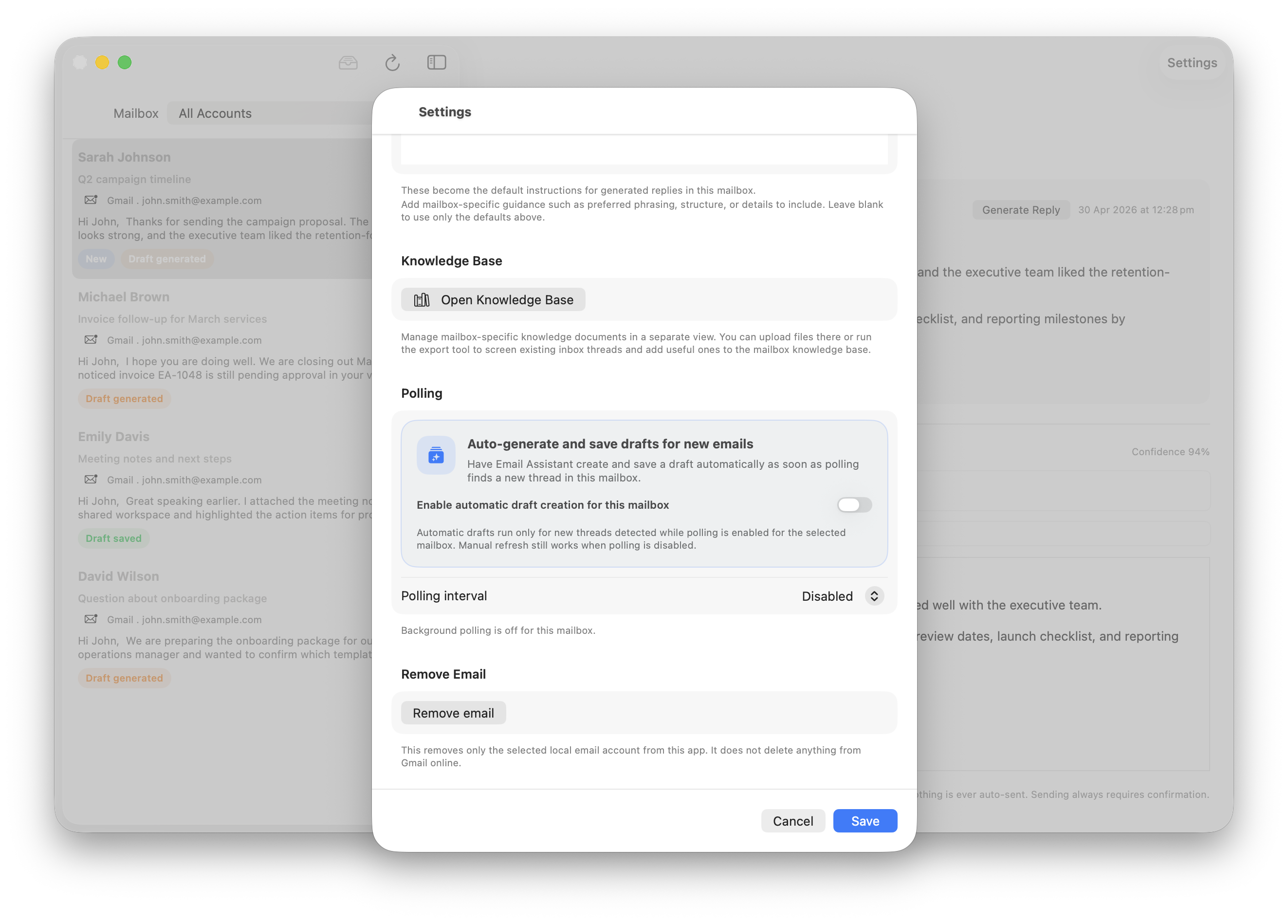
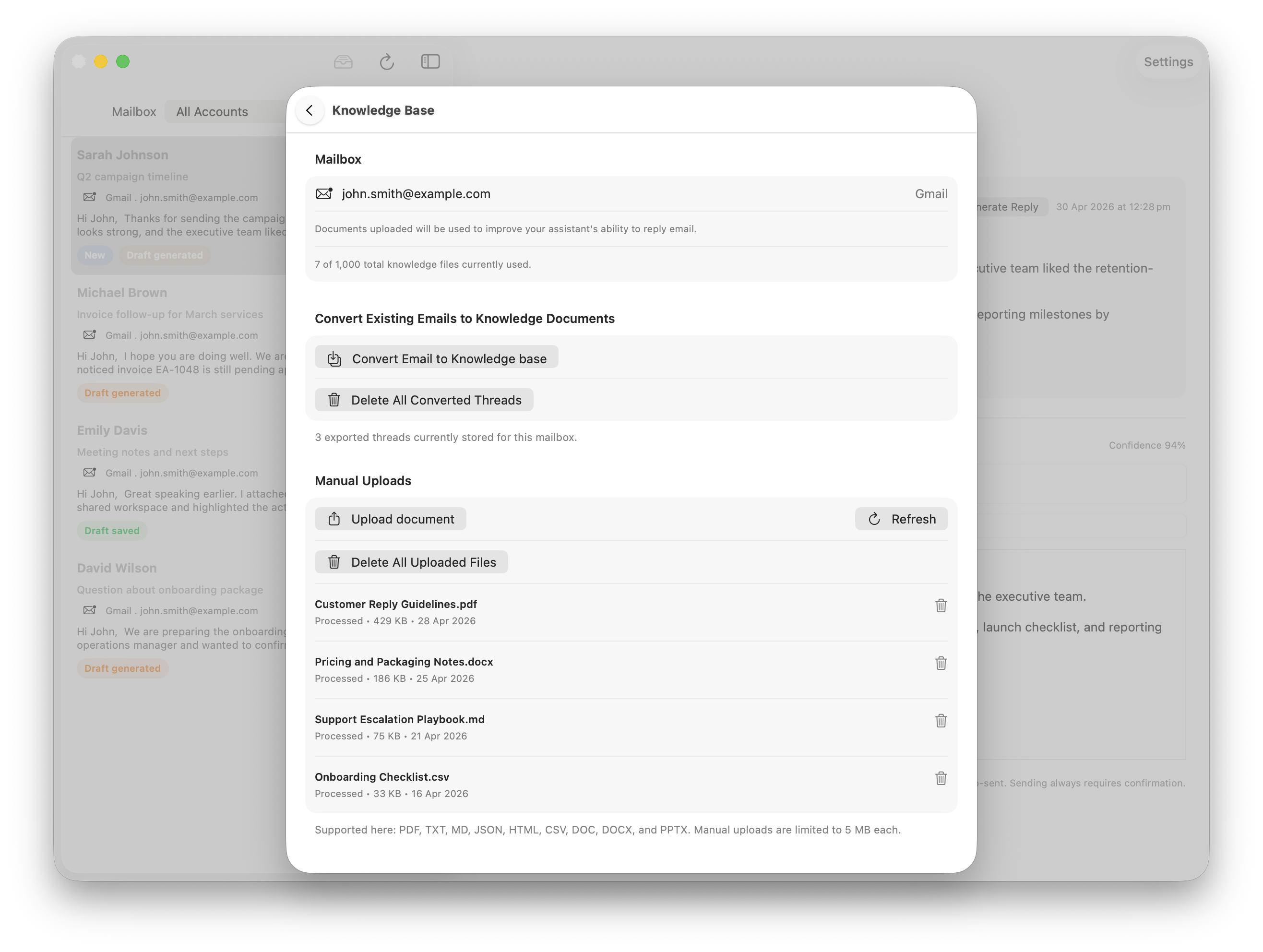
Import context from the mailbox, generate a reply that matches the account, and keep final review in your hands before anything is saved back into the thread.
Import knowledge from a connected mailbox in one click and turn existing emails into reusable context.
Generate clean, concise replies with mailbox-level preferences so each account feels personal instead of generic.
Nothing is auto-sent. You review the draft, adjust it, and save it back into the original thread. If you enable automatic draft generation, the app may create and save drafts for new inbox messages, but it still does not send them.
Email Assistant is not a generic text box with one global prompt. It keeps each mailbox separate, lets you shape the knowledge behind that account, and routes the saved draft back into the correct thread.
Email Assistant keeps the message simple: connect Gmail, Outlook, or any IMAP/SMTP mailbox, draft with account-specific knowledge, and stay in control before anything leaves the app.